
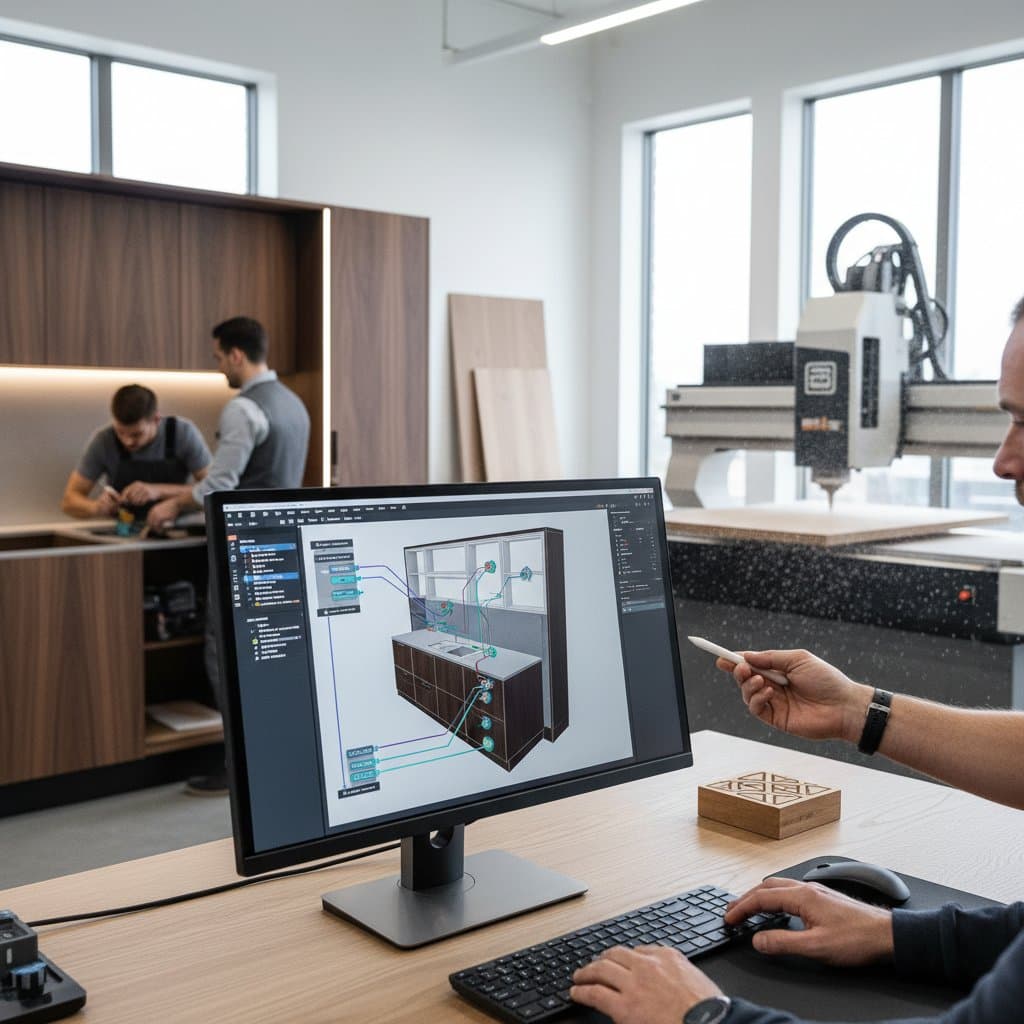
Parametric Tools Halve Cabinet Design Time for Woodworkers
A single incorrect cut in a panel can result in $80 of wasted hardwood and one hour of lost labor. Cabinetmakers recognize that accuracy translates directly to profitability. Parametric design tools alter the approach to achieving that accuracy. Designers establish relationships once, allowing the software to produce new configurations immediately. This method accelerates quoting, ensures precise joinery, and enables cabinets to conform to intricate spaces without estimation.
Parametric tools extend beyond architects and engineers. They integrate into the operations of small and mid-sized woodworking shops. The key consideration focuses on the speed at which these tools recover their cost through enhanced productivity.
Accelerating Custom Cabinetry with Parametric Software
Custom cabinetry requires exactness across multiple units. Conventional CAD systems necessitate individual drawings for each alteration. Parametric software diminishes this workload by converting design principles into reusable equations.
Consider a shop creating kitchen cabinets for a 200-square-foot area. The software generates all possible variations within minutes. Elements such as door styles, hardware placement, and enclosure sizes adjust automatically to match each setup. The preserved time supports production activities or interactions with clients.
Established programs including Fusion 360, SketchUp featuring dynamic components, and dedicated cabinet solutions like Cabinet Vision or Mozaik incorporate parametric functions. These applications link to CNC routing, nesting optimization, and calculations for material expenses.
Core advantages of parametric software
- Modifications spread immediately throughout entire assemblies.
- Integrated libraries link to cut lists and generate machine-readable code.
- Real-time visual cues identify potential conflicts prior to fabrication.
- Seamless connections to cloud services facilitate teamwork from distant locations.
Practical implementation step: Identify the frequent cabinet variations in your shop. Determine essential parameters, including depth, material thickness, or hinge positioning. Incorporate these into your foundational model prior to incorporating finer details.
Implementing Parametric Design: DIY Approaches and Expert Assistance
Small shops often initiate parametric systems independently. Individuals familiar with basic CAD can establish parameters using available online guides. Configuration for a basic cabinet module demands approximately 10 to 15 hours.
Scenarios where DIY implementation suits best
- Operations with fewer than three staff members.
- Narrow product lines relying on uniform materials.
- Absence of urgent needs for CNC connectivity.
Situations requiring professional expertise
- Intricate projects spanning multiple rooms or involving luxury customizations.
- Synchronization with automated nesting or labeling equipment.
- Requirements for data integration with enterprise resource planning or estimation platforms.
Professionals certified in CAD charge between $60 and $100 hourly. Developing a complete parametric library generally involves 30 to 40 hours. Although the initial expense appears significant, it offsets numerous manual adjustments over time.
Steps to evaluate a potential contractor
- Request demonstrations of designs driven by variables.
- Verify knowledge of woodworking joints and cabinetry norms.
- Ensure alignment with current machinery and file specifications.
- Obtain documented training resources upon completion.
Enhancing Quality Control Through Parametric Modeling
Cabinetry quality hinges on consistent accuracy. Parametric modeling anchors each component to specified rules, reducing unexpected issues during assembly.
Altering a single variable prompts the software to recompute all related elements. Drawer enclosures remain aligned, face frames maintain proportions, and tolerances stay reliable. This uniformity persists into the manufacturing phase.
Quantifiable outcomes from shops adopting parametric processes
- Waste decreases by 15 to 25 percent from reduced cutting errors.
- Assembly durations shorten by 20 percent due to superior fitting.
- Modification handling accelerates by 60 percent after template establishment.
Associating shapes with data also produces a digital archive for subsequent modifications or fixes. All dimensions and connections reside within a single model. In future years, reopening the file allows regeneration of precise duplicates.
Archival practice: Upon project completion, store the parameter file alongside a neutral export like DXF. Apply clear labels with project specifics. This collection serves as a valuable resource for upkeep or renovation tasks.
Building Proficiency in Parametric Design
Mastering parametric design extends beyond memorizing software functions. It involves adopting a perspective that prioritizes logic over mere sketching. Once this conceptual shift occurs, the process feels natural.
Structured progression for skill acquisition
- Begin with a basic cabinet enclosure. Assign variables to width, height, and depth.
- Incorporate dependencies for door overlaps, toe kick elevations, and hardware intervals.
- Integrate conditional rules for material choices or joint configurations.
- Link the model to a spreadsheet for efficient group modifications.
Anticipate a one- to two-week adjustment for foundational skills. Structured workshops or digital courses compress this timeline and alleviate challenges.
Support strategy: Maintain a compact log of guidelines and parameter identifiers. This document evolves into a personal guide for ongoing model creation.
Sustaining Parametric Tools for Long-Term Gains
Parametric systems yield maximum benefits through regular upkeep. Refresh rule sets to reflect updates in hardware options or material supplies. Conduct quarterly evaluations of templates to align with evolving shop protocols.
Routine maintenance protocol
- Scan libraries for obsolete hardware references and update accordingly.
- Test models against recent material thicknesses to verify tolerances.
- Validate integrations with CNC outputs through sample runs.
- Gather feedback from team members on template usability and refine as needed.
- Backup parameter files monthly to secure against data loss.
Essential resources for ongoing support
- Online forums dedicated to woodworking CAD users provide troubleshooting insights.
- Vendor webinars offer updates on software enhancements and best practices.
- Community-shared template libraries accelerate custom module development.
Investing in parametric tools not only halves design time but also fosters a foundation for scalable growth. Shops that embrace these systems position themselves to handle increased demand with unwavering precision and efficiency.