
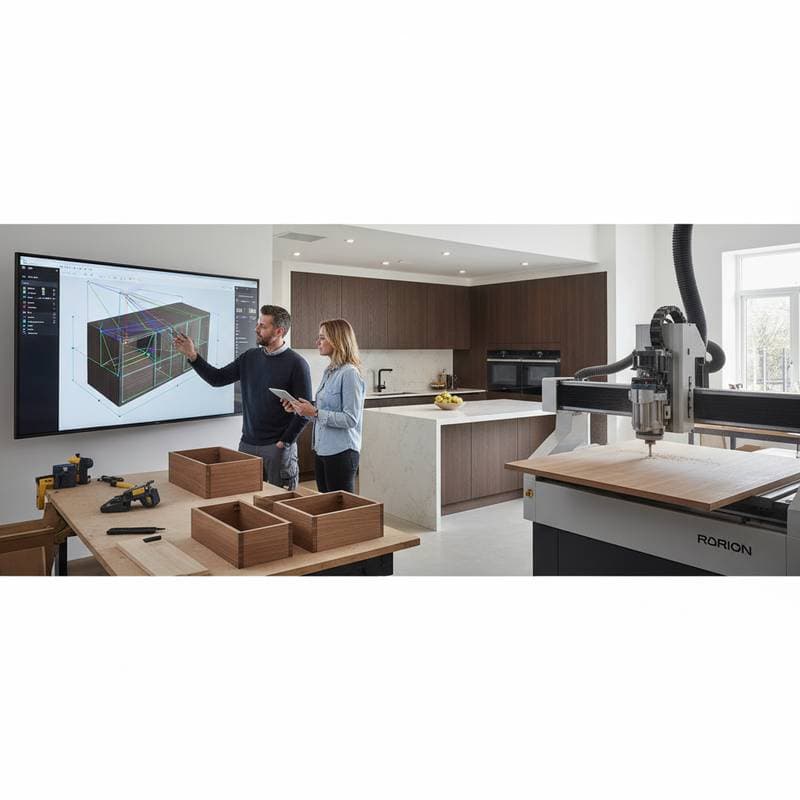
Parametric Tools Revolutionize Custom Cabinetry
A single cabinet run can take a week of design time if you draw every joint and panel manually. With parametric tools, that same run can adapt to new dimensions in minutes. You change one number, and every cut list, joinery detail, and hardware hole updates automatically. For cabinetmakers balancing creativity and efficiency, this shift transforms how custom shops operate.
Parametric design tools reduce drafting time by up to 70 percent, allowing shops to handle more projects without expanding staff. These tools create rule-based models that adjust dynamically to changes in specifications. Cabinetmakers gain the ability to iterate designs rapidly, ensuring precision from concept to installation.
Why Parametric Design Matters
Parametric design relies on algorithms to define relationships between parts. When you adjust one variable, such as cabinet width, the rest of the model recalculates instantly. This approach eliminates repetitive drawing tasks and minimizes manual errors that plague traditional methods.
In traditional drafting, every cabinet design fixes dimensions in place, requiring complete redraws for any modifications. Parametric modeling maintains flexibility throughout the process. Designers can present multiple options to clients, such as varying depths or heights, without starting over. This capability turns client feedback into quick revisions, enhancing satisfaction and closing deals faster.
Shops adopting parametric workflows experience fewer issues during installation. The software applies consistent rules for clearances, hinge placements, and alignments. For instance, it ensures that drawer slides fit perfectly across different sizes by enforcing predefined tolerances. This built-in discipline prevents costly on-site adjustments and reduces material waste.
Beyond accuracy, parametric tools support creative exploration. Cabinetmakers can experiment with complex geometries, like curved panels or integrated lighting, while the system handles the underlying calculations. Small shops find that this technology levels the playing field against larger competitors, enabling high-end customization at competitive prices.
Action step: Select one current project and recreate it using a parametric tool like Fusion 360, Rhino with Grasshopper, or SolidWorks. Measure the time required to produce three variations and compare it to your standard process. This exercise reveals immediate time savings and highlights areas for refinement.
Understanding Costs and Budgeting
Entry-level parametric software subscriptions begin at approximately $60 per month, providing core modeling features suitable for basic cabinetry. Advanced suites, including plugins for manufacturing and simulation, range up to $300 per month. Small shops typically allocate $1,500 to $3,000 for initial hardware upgrades, software licenses, and training sessions.
Larger operations that integrate parametric design with CNC machines or enterprise resource planning systems invest between $5,000 and $10,000. These costs cover custom scripting and workflow automation. Most users recover expenses through labor efficiencies after completing just ten projects, as design cycles shorten dramatically.
Several factors influence pricing:
- Number of user licenses or seats required for team collaboration.
- Support for intricate cabinet styles, such as frameless or inset doors.
- Compatibility with existing machinery, like nesting software for optimized material use.
- Availability of dedicated training and technical support from the vendor.
To manage expenses effectively, shops implement these strategies:
- Deploy the system on a single workstation initially, scaling to multiple users as project volume increases.
- Leverage free community-developed scripts from online forums to automate routine tasks without hiring developers.
- Time training sessions for off-peak periods, such as winter months, to avoid disrupting peak production revenue.
Certain areas demand full investment. Structured onboarding ensures proper parameter setup from the start. Attempting self-taught implementation often results in flawed models that cause production delays and excess scrap. Investing in certified tutorials or vendor-led workshops pays dividends in long-term reliability.
Common Mistakes to Avoid
Adopting parametric design involves pitfalls that new users encounter. Recognizing these early prevents setbacks in workflow adoption.
-
Overcomplicating initial models. Beginners add too many variables at once, leading to unstable systems. Begin with basic elements like box dimensions and face frames. Introduce advanced features, such as dovetail joints, only after testing core rules.
-
Overlooking material tolerances. Software calculations assume perfect conditions, yet wood expands and contracts with humidity. Incorporate allowances, like 1/16-inch gaps for seasonal movement, directly into parameters. This adjustment maintains fit across varying environmental conditions.
-
Failing to implement backups. A single parameter error can cascade through an entire library of designs. Establish regular version control using built-in software features or cloud storage. Review and archive models weekly to safeguard against data loss.
-
Using unclear naming conventions. Vague labels, such as 'width1' or 'sizeA,' confuse teams during edits. Adopt descriptive names like 'cabinet_depth_in_inches' for all variables. This practice streamlines collaboration and speeds troubleshooting.
-
Disconnecting design from production. Creating parametric models without linking to CNC output defeats the purpose. Ensure export paths generate ready-to-cut files, including tool paths and labels. Test the full chain on scrap material before live runs.
To address these issues, focus on one product line first. Document each parameter's purpose and range in a shared guide. Run a pilot CNC job to verify outputs, then expand to additional lines with confidence.
Integrating Parametric Design for Shop Efficiency
Successful integration of parametric tools extends beyond software acquisition. Shops build efficiency by aligning design with daily operations. Start by mapping current workflows to identify bottlenecks, such as manual cut list generation. Parametric systems automate these steps, freeing designers for client consultations.
Training plays a central role in adoption. Dedicate time to hands-on practice with real projects, rather than abstract exercises. Encourage team input to customize parameters for shop-specific needs, like preferred hardware brands. This collaborative approach fosters buy-in and reduces resistance to change.
As proficiency grows, parametric design unlocks scalability. Shops handle increased customization demands without proportional time increases. For example, offering personalized island configurations becomes routine, attracting premium clients. The result includes faster project turnarounds, higher output quality, and sustainable growth.
Visual aids enhance understanding during implementation:
- A labeled diagram illustrating key parameters in a sample cabinet model.
- A flowchart depicting the progression from input variables to final CNC files.
By embracing parametric tools thoughtfully, cabinetmakers position their operations for enduring success. The investment yields not only time savings but also a competitive edge in delivering precise, innovative designs that meet evolving market needs.