
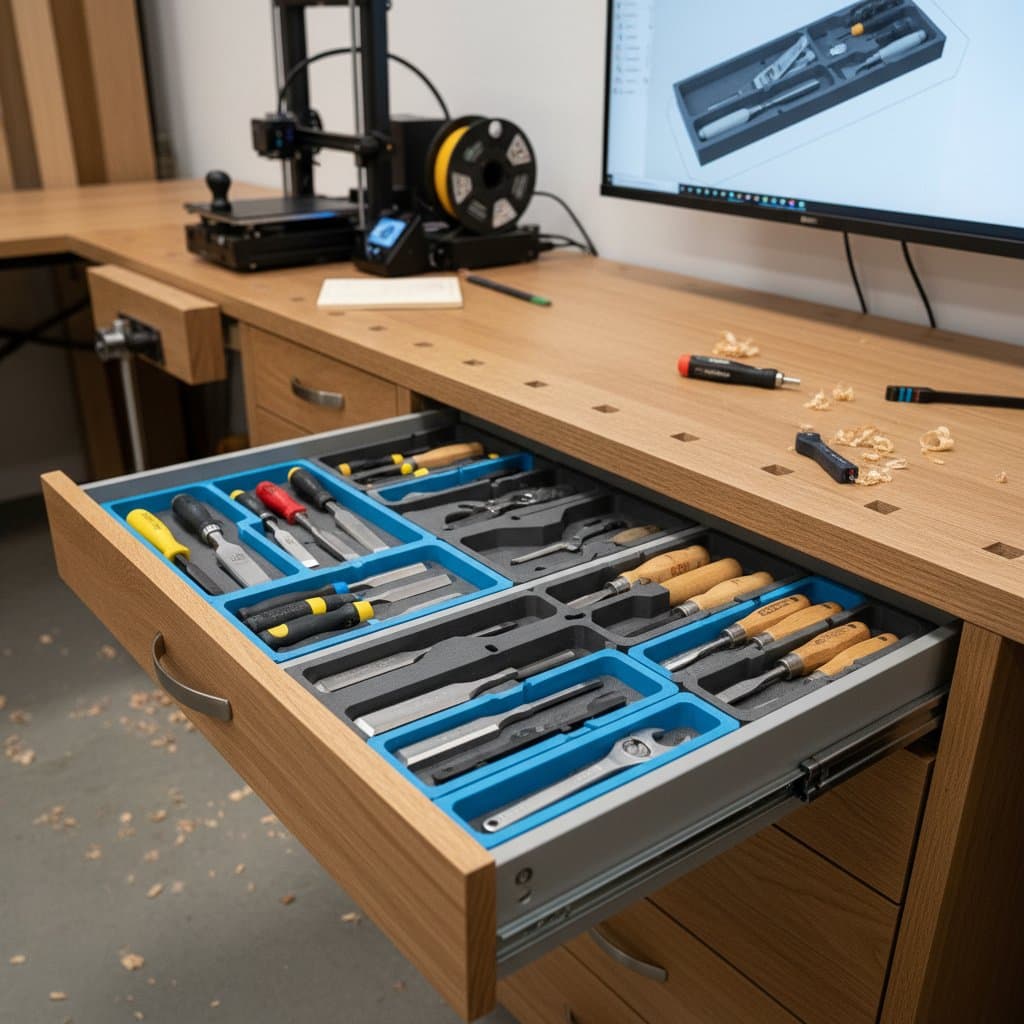
Why 3D Printed Inserts Are Going Mainstream
A single drawer often contains hundreds of dollars worth of tools, bits, and fasteners. When items shift or become buried, productivity suffers and precision diminishes. Increasing numbers of woodworkers now rely on 3D printed inserts to address these issues. These inserts provide unmatched customization compared to plywood dividers or foam trays, and they deliver this benefit at a surprisingly low cost.
The Shift Toward Custom Drawer Organization
Custom drawer inserts previously involved CNC routing or hand-cut joinery, both of which required extensive time for layout and finishing. A 3D printed insert revolutionizes this process. Designers create layouts digitally, preview the fit, and produce the insert overnight. The outcome is a rigid plastic organizer that installs seamlessly into the drawer.
This trend gains momentum from two primary factors. Small workshops increasingly acquire reliable 3D printers priced below $400. Parametric design software further simplifies adjustments, allowing users to input drawer dimensions and generate compartments instantly without redesigning from the ground up. Such efficiency aligns with lean manufacturing principles in modern shops, reducing both time investment and material waste.
Action step: Select a frequently used drawer, measure its interior precisely, and use free tools like Fusion 360 or Tinkercad to model a basic insert. Print a small test section to verify fit before proceeding to the full design.
Why 3D Printed Inserts Work So Well
3D printed inserts effectively eliminate wasted space in drawers, a persistent challenge in tool storage. Traditional organizers seldom conform perfectly to specific tool collections. In contrast, a 3D printed insert contours to individual items, accommodating shapes like chisel handles or tape measures with exact precision.
Three core advantages underpin their effectiveness. First, repeatability ensures that once a design exists, multiple copies print with consistent accuracy. Second, diverse material choices suit various demands: PLA suffices for light applications, whereas PETG or ABS withstands heat exposure and chemical solvents. Third, repairability allows targeted replacement; a damaged section reprints for mere dollars rather than discarding the entire insert.
The inherent rigidity of printed plastics also safeguards drawer bases against damage from sharp edges. Woodworkers frequently note enhanced workflow efficiency, as designated spots for each tool promote visibility and quick access. This organization minimizes search time during projects, fostering a more professional shop environment.
Next move: Incorporate digital labels into the design file prior to printing. This approach embeds permanent organization that resists wear, unlike adhesive labels that fade or peel over time.
Costs and Budget Planning
Producing a basic 3D printed drawer insert typically ranges from $10 to $30, accounting for filament, printer depreciation, and occasional print failures. This figure contrasts sharply with $80 or higher for bespoke foam or plywood alternatives. Even when including design time, the economic benefits accumulate rapidly across multiple drawers.
Several elements influence overall expenses. Entry-level printers manage most inserts adequately, though larger drawers benefit from midrange models featuring expanded build plates up to 300 mm by 300 mm. Filament costs vary: PLA averages $20 per kilogram, sufficient for four to six drawers from one spool, while PETG costs around $27 per kilogram for added durability.
Design efforts generally require one to two hours, including modeling and iterative testing. To optimize budgets, consider printing visible upper layers with premium filament for aesthetics, reserving economical options for concealed structural components. This strategy maintains quality without inflating costs unnecessarily.
Money-saving tip: Batch multiple inserts from a single design to amortize setup time and filament waste. Track usage patterns in your shop to prioritize high-traffic drawers, maximizing return on investment.
DIY or Professional Printing
For those with an existing 3D printer, creating inserts represents an ideal weekend endeavor. The required skill level remains moderate, demanding basic CAD knowledge and attention to printer calibration. Most enthusiasts achieve proficiency after three to five practice runs, refining techniques for optimal results.
Professional printing services offer an alternative for those seeking flawless execution without experimentation. Local makerspaces or fabrication facilities typically charge $0.15 to $0.25 per gram, translating to $18 to $40 per insert based on complexity. In production settings or for extensive cabinetry, outsourcing guarantees uniformity and allows focus on core woodworking tasks.
Checklist for hiring a print service:
-
Confirm the service's printer bed dimensions accommodate your largest insert design.
-
Request printed samples to evaluate layer quality and surface smoothness.
-
Inquire about supported filament varieties and options for custom color matching to integrate with shop aesthetics.
-
Discuss turnaround times to align with project deadlines.
-
Review policies on design file handling and intellectual property protection.
Common Mistakes to Avoid
Calibration oversights rank among the most frequent errors. Inadequate first-layer adhesion leads to warping or dimensional inaccuracies in extended prints. Always perform a bed leveling procedure before initiating production runs to ensure stability.
Designs that prove overly intricate often complicate maintenance. Deep compartments exceeding 60 mm invite dust accumulation, hindering tool access. Reserve such depths for substantial items like large clamps, opting for shallower profiles elsewhere.
Neglecting tolerances disrupts functionality. Allocate at least 0.5 mm clearance per compartment side to facilitate smooth insertion and extraction of tools. This margin prevents binding, especially with frequently handled items subject to minor expansions from temperature fluctuations.
Insufficient infill density compromises structural integrity. For demanding tool storage, aim for 40 percent or higher to distribute loads evenly and avert cracks. Test infill patterns like gyroid for balanced strength and material efficiency.
Implementing Inserts in Your Workflow
Integrate 3D printed inserts by starting small: target one problematic drawer to build confidence and gather feedback. Document measurements and tool inventories systematically to inform future designs. As familiarity grows, scale to entire tool cabinets, customizing layouts for specific project types like joinery or finishing.
Monitor insert performance over several months, noting wear patterns or usability issues. Adjust designs iteratively, perhaps incorporating modular elements for reconfiguration as tool collections evolve. This adaptive approach sustains organization benefits, ultimately elevating shop efficiency and reducing frustration during daily operations.
Final action: Schedule a dedicated session this week to prototype your first insert. The resulting clarity in tool access will streamline tasks and inspire further customizations throughout your workspace.