
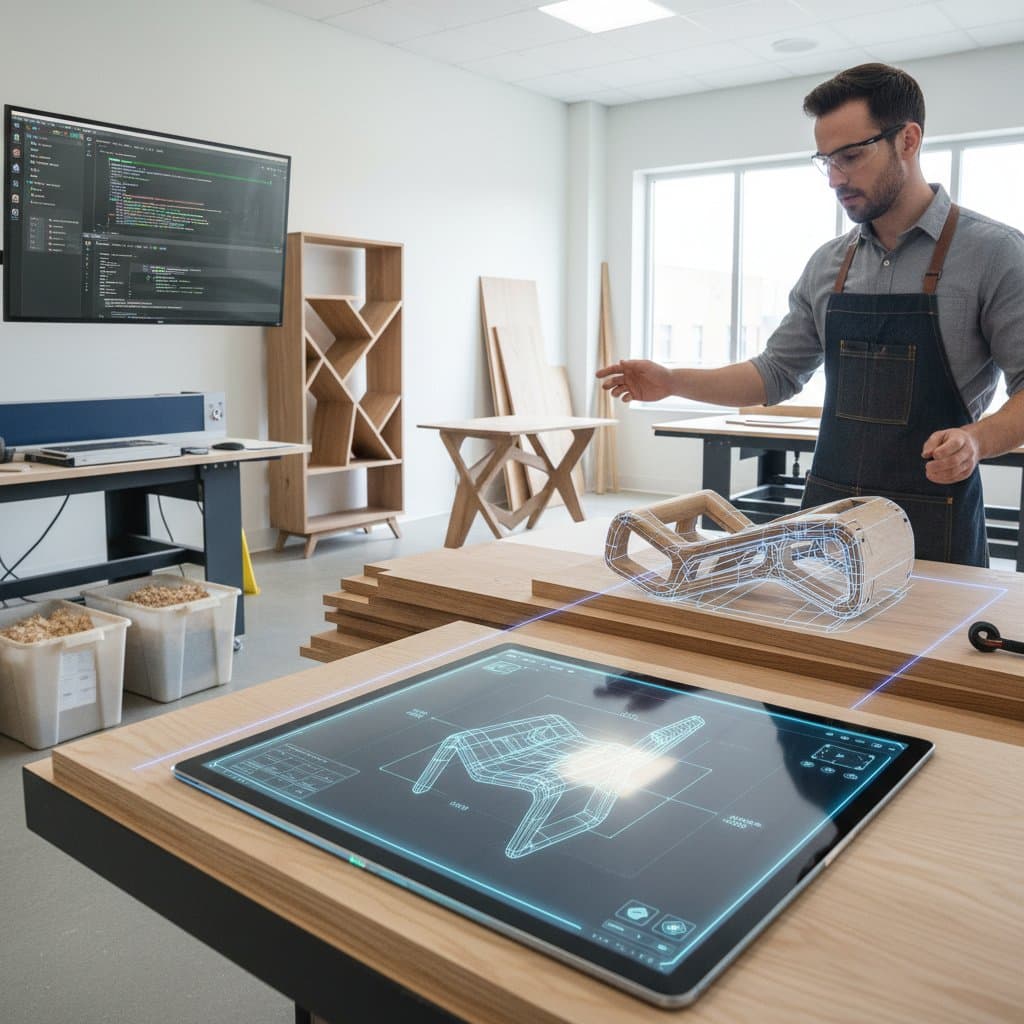
How AI Parametric Tools Reduce Furniture Waste by 30% in DIY Projects
A single error in cutting furniture components can result in $60 of wasted hardwood. An ill-fitting joint might destroy an entire week of labor. Artificial intelligence now alters this narrative through parametric design tools that automatically adjust dimensions, joinery, and material allocation. These innovations enable woodworkers to create pieces tailored precisely to their spaces and abilities. The integration of AI with computational woodworking transforms initial sketches on a laptop into accurately fabricated items within hours rather than weeks.
Understanding Parametric Design in DIY Furniture
Parametric design connects every element of a model through modifiable parameters. When the width of a shelf changes, the spacing of legs, angles of joinery, and positions of fasteners update immediately. AI enhances this by anticipating the most critical parameters for ensuring strength and stability.
Hobbyist woodworkers benefit from reduced numbers of unsuccessful prototypes and more reliable results. Rather than redrafting a table design multiple times to accommodate a compact dining space, users input the revised width, and the model refreshes in moments.
The Mechanics Behind Its Effectiveness
AI-powered parametric tools incorporate structural principles in the background. They draw on established formulas for load-bearing capacity and geometric limitations aligned with properties such as plywood density or hardwood rigidity. The system determines if a 0.75-inch panel suffices for a specific span or if additional bracing proves necessary.
Such precision previously demanded engineering software priced in the thousands of dollars. Today, browser-based platforms that connect with free or inexpensive CAD systems make this accessible.
Practical Starting Point
Experiment with an open-source parametric model using tools like Grasshopper or extensions in Fusion. Begin with a basic coffee table design. Input custom dimensions, choose the wood species, and allow the system to recompute joints. Observe how AI maintains balanced proportions while minimizing material consumption.
Managing Costs in AI-Assisted Woodworking
Parametric tools powered by AI require no specialized high-end equipment. They operate via cloud services or standard laptops. Expenses fluctuate based on usage patterns.
Breakdown of Standard Costs
- Software subscriptions: Range from $15 to $60 monthly for individual accounts.
- Plugin libraries and assets: $20 to $100 per project.
- CNC cutting services: $90 to $300 for small furniture pieces.
- Material savings: Typically 15% to 30% reduction in waste versus traditional layouts.
- Optional AI optimization credits: Approximately $10 for every 100 design variations.
For an initial project, a cost-effective configuration might total $200, covering software access, plywood supplies, and CNC services at a nearby makerspace. Professionals handling several designs in batches often spend $600 to $900 per project, factoring in high-quality materials and finishes.
Strategies for Cost Reduction
Start with free parametric templates as foundations. Delegate only the cutting phase to external services while handling assembly in-house. Employ plywood for structural elements and reserve solid wood for exposed areas.
Conduct virtual simulations to validate designs prior to committing to final measurements.
Essential Investments
Do not overlook safety margins in joinery designs. Ensure CNC machines receive proper calibration. Maintain uniform material thicknesses to uphold the AI's forecasting reliability.
Avoiding Pitfalls in Parametric Woodworking
AI excels at automation but cannot compensate for flawed preparation or imprecise measurements. The system's performance hinges on quality inputs.
Prevalent Challenges
- Using approximate dimensions: Rounded figures lead to joint mismatches. Measure precisely and verify twice.
- Overlooking grain orientation: AI prioritizes efficiency over aesthetics; manually confirm grain alignment pre-cut.
- Excessive model complexity: Numerous constraints may hinder computation or generate geometric errors.
- Bypassing test cuts: Produce a scaled CNC prototype to confirm fit tolerances.
- Disregarding safety gaps: Allocate at least 0.25 inch for movable components or hardware installations.
Effective Remedies
Standardize units throughout, opting for either inches or millimeters exclusively. Activate the AI's simulation feature to evaluate assembly order. Preserve version snapshots to revert changes if automation alters vital elements unexpectedly. Consult with fabricators to inspect generated toolpaths before production.
Implementing these practices averts typical setbacks that discourage beginners. With confidence in the workflow established, attention shifts to innovative choices over calculations.
Optimizing Results with AI Tools
Parametric systems thrive on systematic methods. Adopting a disciplined process yields dependable outcomes.
Structured Workflow Guide
- Clarify objectives: Identify the required item, such as a desk or workbench, and establish upper limits for dimensions.
- Choose appropriate software: Select platforms like Fusion equipped with parametric add-ons, or Grasshopper for intricate manipulations.
- Provide material specifications: Input details on thickness, density, and sheet dimensions for precise nesting calculations.
- Modify parameters: Employ sliders or input fields to investigate varied configurations.
- Initiate AI optimization: Permit the software to assess load distributions and joint configurations.
- Generate fabrication files: Export in formats like DXF or G-code suitable for CNC operators.
- Execute assembly: Mark components prior to cutting and align fasteners with the digital blueprint.
Resolving Frequent Hurdles
Parameter adjustments causing model deformation often signal absent constraints. Secure fundamental measurements, such as overall height and leg intervals, before altering surface thicknesses. Incomplete toolpaths typically arise from open surfaces; ensure all elements form sealed solids.
Safety and Verification Priorities
Supplement AI outputs with manual reviews against established woodworking standards for load capacities. Retain protective barriers on CNC devices at all times. Activate dust extraction systems for every trial operation.
Resources for Deeper Exploration
Explore community-driven libraries of parametric models tailored to common furniture types, from shelves to cabinets. Tutorials on integrating AI plugins with basic CAD software provide hands-on guidance. Local makerspaces offer access to CNC facilities and expert consultations, bridging the gap between digital design and physical creation.
By embracing these AI-driven approaches, DIY woodworkers achieve professional-grade precision while slashing waste and errors. The result: sustainable projects that enhance spaces with custom flair, delivered efficiently and affordably.