
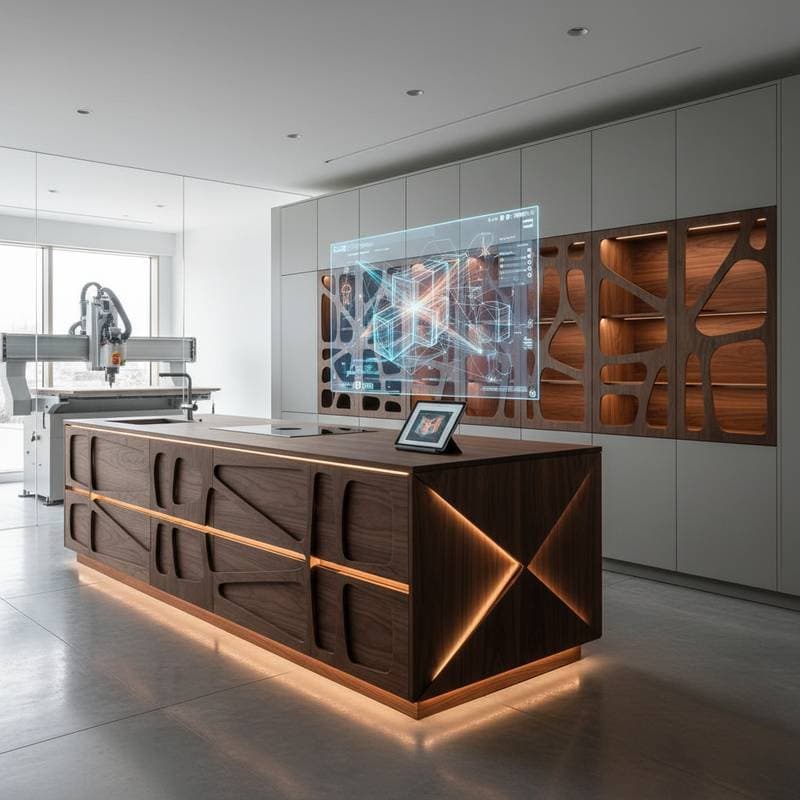
Revolutionize Cabinetry with Parametric Design Tools
Custom cabinetry demands a blend of artistry and exactitude. Traditional methods require measuring twice and cutting once, with the hope that components align perfectly. Parametric design tools alter this approach fundamentally. They connect dimensions, materials, and specifications within a unified algorithmic framework, enabling the evaluation of numerous configurations prior to any physical fabrication. A cabinet model that previously required hours can now adjust in mere minutes.
At a Glance
| Feature | Typical Range | Why It Matters |
|---|---|---|
| Software Cost | $400 to $2,500 | Varies by license type and included capabilities |
| Learning Curve | 10 to 30 hours | Influenced by software complexity and existing CAD familiarity |
| Design Time Saved | 40% to 70% | Achieved through automatic adjustments to interrelated dimensions |
| Ideal Shop Size | 1 to 10 people | Accommodates diverse production volumes |
How Parametric Tools Transform Cabinet Design
Parametric design establishes connections among all cabinet components via defined rules and variables. An adjustment to the overall height automatically updates shelves, hinges, and face frames. The software performs real-time recalculations for proportions, hole placements, and hardware positions. Platforms such as Fusion 360, Rhino paired with Grasshopper, and SolidWorks facilitate the establishment of these interdependencies using rigorous logical structures.
This methodology diminishes redundant drafting tasks and curtails manual inaccuracies. A solitary modification propagates throughout the model, eliminating the need to revise individual elements manually. For woodworkers managing bespoke commissions, this adaptability accelerates quotations and ensures uniform quality.
Action Step: Begin by constructing a basic base cabinet model. Define parameters for width, depth, and height. Once functional, incorporate constraints for material thickness and joinery methods.
From Static Drawings to Smart Models
Conventional CAD files remain fixed once created. In contrast, parametric models function as dynamic blueprints. Users can embed formulas, for instance, specifying that drawer depth equals cabinet depth minus face frame thickness. Such embedded logic guarantees compatibility across varying dimensions.
These intelligent models also enhance interoperability with CNC routers and nesting applications. Exported tool paths reflect precise dimensional accuracy from the outset. Woodshops that integrate parametric workflows report setup time reductions of 25 to 40 percent.
Why It Works: Associating geometric elements with rule-based parameters removes uncertainty. Each variable influences multiple design aspects, preserving accuracy through iterative modifications.
To illustrate, consider a kitchen island project. Initial parameters might include countertop overhang set at 1.5 inches and baseboard clearance at 0.75 inches. Alterations to the island's length automatically adjust leg positions and toe kick heights, ensuring structural integrity without manual recalibration.
Costs and Budget Considerations
Professional licenses typically range from $400 to $2,500, contingent upon the vendor and subscription duration. Entry-level options like FreeCAD or SketchUp with extensions suffice for basic applications, although sophisticated automation features may prove insufficient.
Key budgetary elements include:
- Training: $200 to $600 for virtual courses or in-person sessions
- Hardware Upgrades: $800 to $1,500 for a GPU-equipped workstation
- Maintenance: Annual fees for subscriptions or updates, often minimal
Prioritize investment in training resources. Initial efforts yield rapid returns via diminished errors and expedited design cycles.
For example, a mid-sized shop might allocate $1,200 for Fusion 360 training and hardware tweaks, recouping costs after 10 to 15 projects through time efficiencies.
DIY or Professional Integration
Woodworkers already proficient in CAD can integrate parametric tools independently. A dedicated individual might grasp core principles over two weekends. Commence with modest projects and retain static drawing backups until confidence in the system solidifies.
Larger facilities producing multiple cabinets weekly benefit from engaging a design specialist or consultant. Such expertise enables direct linkages between parametric models, CNC operations, and inventory systems. Verify credentials in Autodesk or Dassault Systèmes products prior to commitment.
In practice, a solo artisan could parametricize a vanity cabinet, testing variations for client approvals. A production team, however, might deploy enterprise-level integration to automate quoting from model parameters, slashing administrative overhead.
Common Mistakes in Parametric Cabinet Design
Frequent pitfalls include:
- Neglecting standardized naming for parameters, resulting in orphaned references
- Employing overly intricate formulas where basic constraints suffice
- Failing to secure essential dimensions, leading to unintended distortions during scaling
- Overlooking hardware constraints, such as required clearances for hinge operation
Counter these issues by validating parameters progressively. Introduce and test one rule at a time, confirming material suitability before expanding the model.
For instance, when designing door assemblies, lock hinge placement parameters to maintain 0.125-inch clearances, preventing assembly interferences.
Implementing Parametric Design in Your Workflow
Parametric design empowers control, consistency, and innovation in cabinetry. Select a single software platform and prototype one cabinet category. Monitor time expenditures and error incidences relative to conventional methods. Tangible improvements typically emerge after the initial five endeavors.
Precision defines woodworking excellence. Parametric tools extend that excellence, rendering it scalable and dependable for every commission.