
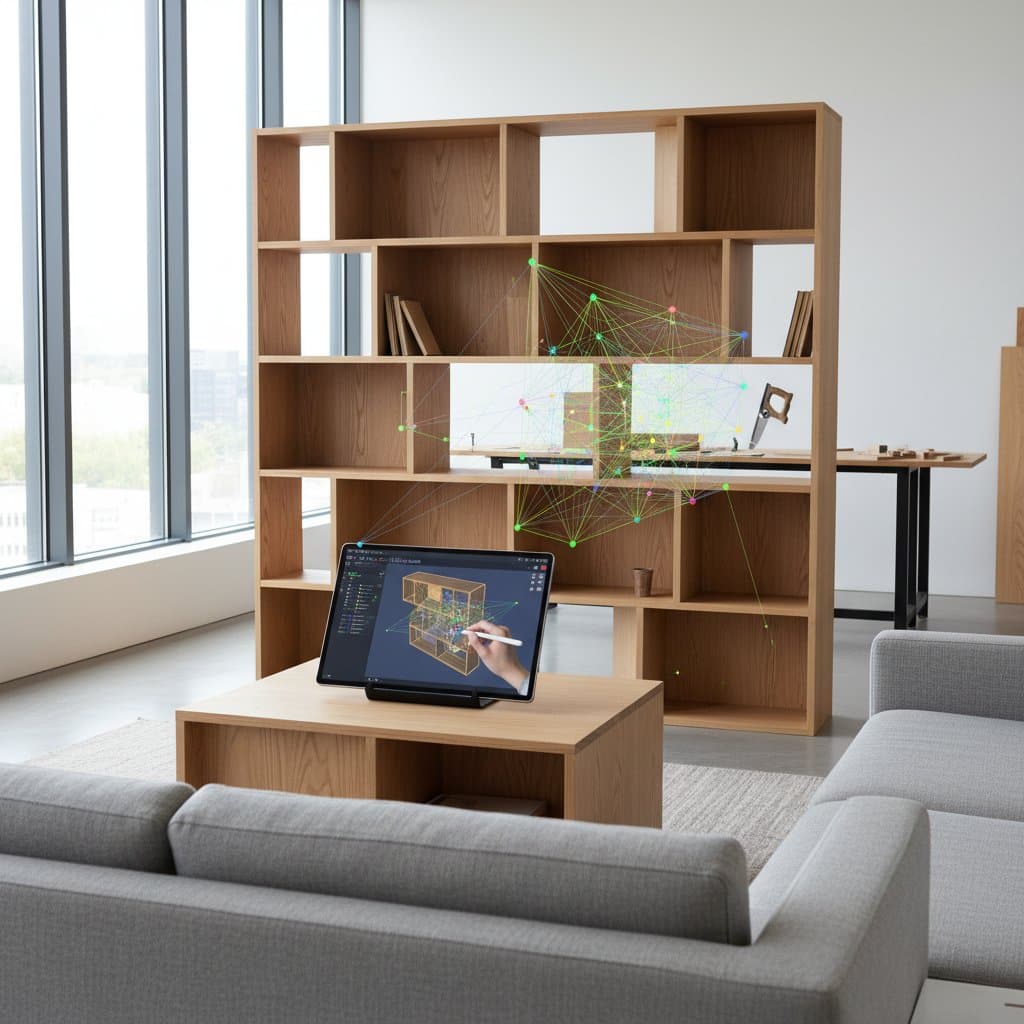
How Parametric Software Slashes Furniture Design Time by Hours
Parametric design, long established in architecture and aerospace, now influences woodworking through accessible digital tools. These innovations accelerate the creation of custom furniture in home workshops. Designers sketch, alter, and prepare parts for precise fits in specific spaces or to meet unique requirements, all without repeated manual drawings. Algorithms manage complex geometry, which allows focus on elements like proportions, materials, and joinery techniques.
At a Glance
Primary users: DIY woodworkers, owners of small shops, and design students
Adoption scope: Widespread in home workshops and digital fabrication laboratories worldwide
Project scale: From small items like side tables occupying 30 square feet (2.8 square meters) to extensive built-ins covering 200 square feet (18.6 square meters)
Key tools: Rhino with Grasshopper, Fusion 360, and Shapr3D
Image sources: Provided by makers and software developers
Challenges Before Parametric Tools
Creating custom furniture previously involved manual drafting or modifying standard plans. Any size adjustment demanded recalculation of angles and revision of templates. Such precision often eluded hobbyists, leading many projects to halt during initial sketches due to the intensive mathematics required.
Maker and instructor Luis Ortega noted, “I used to spend hours redrawing parts just to change a shelf height. It was a barrier to creativity.”
Transformations with Parametric Software
These tools eliminate such obstacles by allowing definition of core rules, including material thickness, support spacing, or total height. Models update immediately upon dimension changes, reducing full redesigns to mere seconds.
A photograph of Ortega’s plywood media console illustrates smooth horizontal lines, uniform spacing, and concealed hardware. The design originated from one parametric script that governed all notches and dados. Extending the length by four inches (10.1 centimeters) prompted automatic adjustments to every joint.
“The program does the heavy lifting,” Ortega said. “You can focus on how the piece feels in a room instead of whether the math works out.”
Essential Design Elements
- Software options: Grasshopper, Fusion 360, Shapr3D, and free alternatives like FreeCAD
- Common materials: Baltic birch plywood, oak veneer, and laminated bamboo
- Joinery and hardware: Knockdown fittings, CNC-machined joints, and pocket screws for efficient assembly
- File formats: DXF and SVG for compatibility with CNC routers and laser cutters
- Subscription costs: From free to approximately 350 dollars annually, based on capabilities
- Required skills: Intermediate to advanced levels, with expanding tutorials easing entry
Fundamental Changes in Design Thinking
Parametric methods shift the approach from static drawings to relational definitions. For instance, a chair leg maintains a two-inch (5.1-centimeter) greater width than the seat rail; seat width alterations propagate to the legs automatically. Management focuses on underlying logic rather than individual components.
This method reduces material waste, with small shops seeing 15 to 25 percent decreases in offcuts. Woodworkers evaluate various sizes, materials, or angles without redrawing or adjusting fixtures.
Designer Priya Nandakumar stated, “My clients want pieces that evolve with their homes. Parametric modeling lets us stretch or shrink designs to fit new rooms without starting over.”
Step-by-Step Process
- Establish parameters first. Specify variables such as material thickness, joinery style, and intended dimensions.
- Connect related values. Apply formulas to ensure changes in one element update dependents.
- Create the model. Software constructs the three-dimensional form based on these links.
- Review and iterate. Modify inputs to observe proportional shifts in real time.
- Prepare for production. Export files suited for CNC machines or laser cutters.
The outcome provides a versatile digital prototype aligned with actual materials. Simulations assess impacts, like plywood thickness variations on joint integrity, prior to fabrication.
Insights from Visual Examples
Workshop images depict optimized sheet layouts for CNC routing, with labeled panels arranged to minimize scrap. Completed works highlight sharp edges and even component spacing. Strategic lighting accentuates the accuracy of repeated features, from slotted shelves to curved chair backs.
Advantages in Spatial Planning
These tools support comprehensive room modeling with interconnected furniture elements. A wall desk adjusts depth to avoid window trim, while shelving scales to ceiling limits. Improved circulation results from furniture that occupies exact positions.
In small apartments, adaptive forms prove transformative. Fold-out tables integrate into walls, and modular benches rearrange for visitors. Parameters adapt to spatial limitations dynamically.
Enhancing Lighting and Materials
Integration with lighting plugins positions LEDs for uniform surface glow. One image shows a maple shelving unit illuminated by strips behind vertical fins, with software optimizing both structural and diffusive spacing.
Material choices gain precision through simulations of thickness and grain orientation. Makers preview oak veneer corner meetings or bamboo curve flexes, which prevents fabrication errors and associated expenses.
Pathways to Proficiency
Open-source groups democratize access with shared scripts for staples like stools, cabinets, and tables. Download a foundational model and tweak inputs such as width or leg angle. Node-based visual interfaces simplify programming by replacing code with graphical connections.
Introductory workshops emphasize basic items like adjustable shelving. Participants define ties between shelf gaps, total height, and wall offsets. With logic established, aesthetic explorations proceed without redrafts.
Applications in Storage Solutions
Parametric principles align with organizational needs. Replicate these home-friendly ideas:
- Modular drawer stacks that adjust to various tool sets
- Customizable pegboards featuring variable hole patterns for hooks
- Concealed storage calculated from material dimensions and hardware placement
- Collapsible pieces with joints accounting for pivot spaces
Each begins with a controlling parameter; a single adjustment triggers full recalibration.
Gains in Efficiency and Economy
Initial mastery requires weeks of dedicated practice, yet benefits accumulate rapidly. Established models yield variants in hours, not days, with shops achieving 30 to 40 percent time reductions on recurring projects.
Resource optimization follows suit. A five-sheet plywood build might drop to four through intelligent nesting, lowering waste and unit costs. Such efficiencies sustain small-scale custom production for individual creators.
Core Benefits
- Rapid adjustments via rules. Dimensions shift without full redraws.
- Uniformity in iterations. Interlinked parameters preserve balance across changes.
- Resource conservation. Nesting automation cuts scraps and expenses.
- Expanded innovation. Quick testing of forms and utilities.
- Broad entry points. Free and paid options lower barriers.
Getting Started at Home
- Select a tool. Opt for Fusion 360 for guided interfaces or Grasshopper for advanced tweaks.
- Isolate one factor. Experiment with single changes like width before complex links.
- Incorporate actual specs. Use precise material measures for reliable joint outcomes.
- Prototype modestly. Fabricate a reduced-scale version in budget plywood to confirm forms.
- Record parameters. Apply clear labels to facilitate ongoing modifications.
These measures cultivate assurance for ambitious systems.
Evolving Designs Over Time
Parametric practices enable furniture adaptation to life changes. Extend a dining table for a larger residence by updating parameters, regenerating files, and producing matching components. The foundational logic endures, ensuring seamless updates.
Homeowner Julia Tran shared her adaptation of a prior bench. “We moved to a smaller space,” she said. “I shortened the seat by eight inches (20.3 centimeters) in the model, sent new files to the CNC, and it still looks perfectly proportioned.”
This adaptability promotes sustainability by favoring modifications over replacements.
Preserving Design Assets
Digital model archives rival the physical pieces in worth. Organize files by initiative and iteration. Upon wear, generate exact-fit renewals. Gradually, assemble a repository of responsive designs for future use.